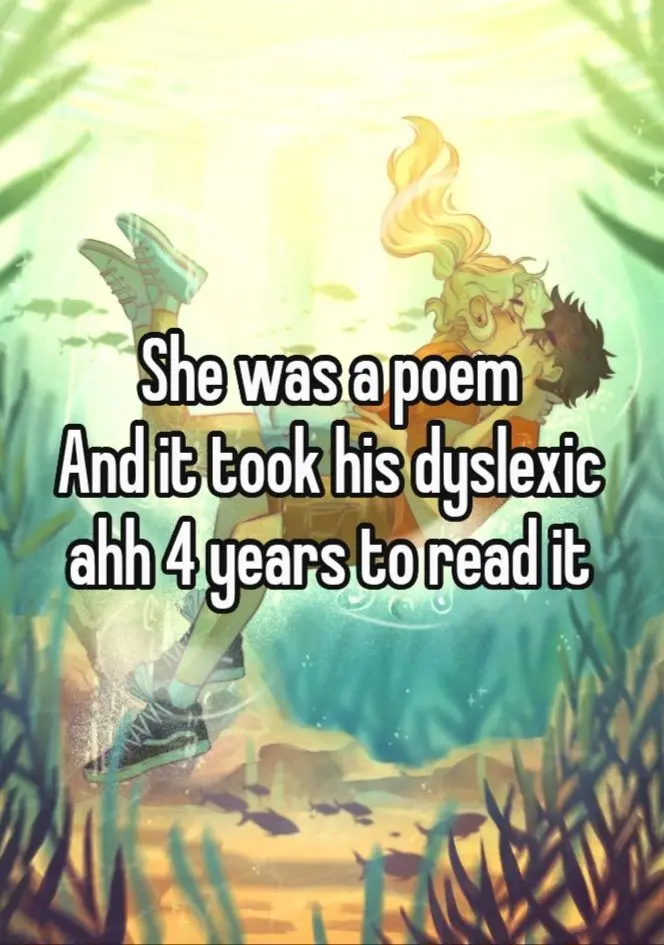
My nephew Ollie handed me a book last summer and said, “Read this line out loud, Aunty Priya.” The words were jumbled on the page, letters swapping places mid-sentence, and he laughed because he knew I’d stumble exactly the way he does every day at school. That moment — the frustration, the giggle, the relief of being understood — is why I started collecting tools that make reading less of a fight. If you clicked here because a pin showed you scrambled letters and you wanted to know what helps, this list is for you.
Below you’ll find twenty genuinely useful reading tools, from text-to-speech apps to fonts that calm the page down. Each one is real, tested by real readers, and free or cheap enough to try today.
Table of Contents(Click to Toggle)
- Why the Right Reading Tool Changes Everything
- 20 Dyslexia-Friendly Reading Tools
- 1. Microsoft Immersive Reader
- 2. OpenDyslexic
- 3. Voice Dream Reader
- 4. NaturalReader
- 5. Speechify
- 6. Read&Write by Texthelp
- 7. Dyslexie Font
- 8. Learning Ally
- 9. Bookshare
- 10. Libby by OverDrive
- 11. BeeLine Reader
- 12. Helperbird
- 13. Reader Mode
- 14. Microsoft OneNote with Immersive Reader
- 15. Google Read Along
- 16. Epic!
- 17. Audible
- 18. Storynory
- 19. Tar Heel Reader
- 20. Reading Rockets
- Bonus Mentions
- The Reading Tools Worth Passing On
Why the Right Reading Tool Changes Everything
Here’s the mechanism in plain language: for many dyslexic readers, the brain works harder to decode letters into sounds, which leaves less energy for actually understanding the story. When you remove that decoding friction — by changing the font, adding audio, or spacing out the text — comprehension jumps because the brain isn’t burning fuel on the mechanics.
You don’t need a diagnosis to use these tools. You don’t need a school to approve them. Most are free, and several run right in your browser. The trick is finding the one that clicks with how you read, not how someone else thinks you should read. Start with one, live with it for a week, then add another.
20 Dyslexia-Friendly Reading Tools
1. Microsoft Immersive Reader : Free text-to-speech that lives inside apps you already use
What it is: A reading support feature built into Microsoft Edge, Word, OneNote, and Teams.
Category: Built-in accessibility tool
Why it stands out:
- Reads aloud, highlights syllables, and lets you change line spacing and font size on the fly.
- Works on web pages in Edge with a single click — no download needed.
- Completely free, which matters if you’re testing what helps before spending money.
Best for: Students who already use Microsoft apps and want zero setup.
2. OpenDyslexic : A free font designed to stop letters from flipping
What it is: An open-source typeface with weighted bottoms on each letter.
Category: Font / browser extension
Why it stands out:
- The heavier base of each letter acts like an anchor, making it harder for b and d to swap places.
- Free for personal and commercial use, and installs as a Chrome extension in seconds.
- Not a cure-all — some readers find the chunky style distracting — but worth a two-minute test.
Best for: Readers who notice letters flipping or swimming on screen.
3. Voice Dream Reader : Turns any document into a customizable audiobook
What it is: An iOS and Android app that reads PDFs, ebooks, and web articles aloud.
Category: Mobile reading app
Why it stands out:
- Lets you sync highlighted words with the spoken audio, so your eyes and ears work together.
- Offers dozens of voices and adjustable reading speeds, from slow to lightning fast.
- It’s a paid app (one-time purchase), but often cheaper than a single tutoring session.
Best for: Commuters and students who want to listen while following along.
4. NaturalReader : Paste text, hear it read back instantly
What it is: A web and desktop text-to-speech tool with a free tier.
Category: Text-to-speech
Why it stands out:
- Drag in a PDF or paste a paragraph and it starts reading within seconds.
- The free plan covers basic voices; premium unlocks more natural-sounding ones.
- Great for proofreading your own writing — hearing it catches errors your eyes skip.
Best for: Quick, no-commitment listening on a laptop.
5. Speechify : Reads almost anything on your screen aloud
What it is: A browser extension and app that converts web pages, emails, and documents to speech.
Category: Text-to-speech
Why it stands out:
- Its Chrome extension reads articles, Google Docs, and even PDFs with one click.
- Celebrity-style natural voices make long reads feel less robotic.
- Free tier is generous; heavy users may hit limits and need the paid plan.
Best for: Adults who read a lot of web content for work.
6. Read&Write by Texthelp : A toolbar that reads, defines, and predicts words
What it is: A literacy toolbar for Chrome, Windows, and Mac.
Category: Literacy support suite
Why it stands out:
- Highlights text as it reads and offers a word predictor when you’re writing.
- Includes a picture dictionary, which helps when a word’s meaning won’t stick.
- Free for teachers; individual plans are paid, so check school licenses first.
Best for: Students who need reading and writing help in one place.
7. Dyslexie Font : A typeface built with heavier, tilted letterforms
What it is: A commercial font family designed for dyslexic readers.
Category: Font
Why it stands out:
- Letters have distinct shapes and slightly slanted stems to reduce mirror confusion.
- Available as a browser extension and for Word documents.
- It’s a paid product with a free trial, so test it before you buy.
Best for: Readers who want a polished, professional-looking font option.
8. Learning Ally : Human-narrated audiobooks for students
What it is: A nonprofit audiobook library with human readers.
Category: Audiobook library
Why it stands out:
- Volunteers narrate textbooks and literature with real expression, not robotic voices.
- Includes a companion app with highlighted text synced to the audio.
- Access usually comes through a school or a paid membership, so ask your school first.
Best for: Students who need textbook audio, not just novels.
9. Bookshare : A huge accessible ebook library for qualifying readers
What it is: A nonprofit offering accessible-format books.
Category: Accessible ebook library
Why it stands out:
- Hundreds of thousands of titles in audio, braille, and large-print formats.
- Free for qualifying U.S. students; low-cost memberships otherwise.
- Requires proof of a print disability — that’s the main hurdle to know about.
Best for: Families who want a deep, free-ish library of accessible books.
10. Libby by OverDrive : Borrow audiobooks and ebooks with a library card
What it is: A free app that connects to your local library.
Category: Library app
Why it stands out:
- Borrow audiobooks and ebooks at no cost with a library card.
- Adjustable fonts, line spacing, and a built-in audio player.
- Availability depends on your library’s collection — popular titles can have waitlists.
Best for: Budget-conscious readers who already have a library card.
11. BeeLine Reader : Color gradients that guide your eyes down the page
What it is: A tool that adds a color gradient to text lines.
Category: Reading aid
Why it stands out:
- The fading color helps your eyes track from the end of one line to the start of the next.
- Works as a browser extension and on PDFs.
- Some readers love it, others find the colors distracting — it’s a personal fit thing.
Best for: Readers who lose their place between lines.
12. Helperbird : An accessibility toolbox for the web
What it is: A Chrome extension bundling reading and accessibility features.
Category: Browser extension
Why it stands out:
- Adds text-to-speech, dyslexia fonts, ruler guides, and color overlays in one place.
- Lets you tweak letter spacing and background color per site.
- Free tier covers essentials; advanced features are paid.
Best for: Readers who want many adjustments without installing five extensions.
13. Reader Mode : Strips away clutter so only the words remain
What it is: A browser extension that removes ads and sidebars from articles.
Category: Reading extension
Why it stands out:
- Cleans a messy page down to text and images, which reduces visual overwhelm.
- Includes text-to-speech, a dyslexia-friendly font, and a reading ruler.
- Some sites block reader modes, so a few pages won’t work.
Best for: Anyone distracted by pop-ups and busy layouts.
14. Microsoft OneNote with Immersive Reader : A free notebook that reads your notes back
What it is: Microsoft’s note-taking app with reading support built in.
Category: Note-taking + reading support
Why it stands out:
- Type or paste notes, then open Immersive Reader to hear them read aloud.
- Change spacing, font, and syllable highlighting inside the same app.
- Free with a Microsoft account, though syncing across devices needs setup.
Best for: Students who take notes and want to review them by ear.
15. Google Read Along : A friendly reading coach for younger kids
What it is: A free Google app with a reading helper character.
Category: Kids’ reading app
Why it stands out:
- Uses speech recognition to give feedback when a child reads a word correctly.
- Stories are short and illustrated, keeping attention on the page.
- Works offline once stories are downloaded — handy for car rides.
Best for: Parents of early readers who want gentle practice at home.
16. Epic! : A digital library with read-along highlighting
What it is: A kids’ ebook subscription service.
Category: Kids’ digital library
Why it stands out:
- Thousands of titles with “read-to-me” mode that highlights words as they’re spoken.
- Includes quizzes and badges, which some kids find motivating.
- Subscription-based after a free trial, so watch the renewal date.
Best for: Families building a home reading routine.
17. Audible : A massive audiobook catalog for listening practice
What it is: Amazon’s audiobook platform.
Category: Audiobook service
Why it stands out:
- Professional narration across nearly every genre, including school reads.
- Variable playback speed lets you slow down tricky passages.
- Paid subscription; check whether your library’s Libby catalog already has the title free.
Best for: Readers who want polished audio for longer books.
18. Storynory : Free audio stories with matching text
What it is: A free site of narrated children’s stories.
Category: Free audio stories
Why it stands out:
- Every story has both audio and written text, so you can follow along.
- Completely free with no account required.
- Catalog is smaller than paid services, but the classics and originals are charming.
Best for: A no-cost way to practice listening and reading together.
19. Tar Heel Reader : A free library of easy-to-read picture books
What it is: A nonprofit collection of accessible beginner books.
Category: Accessible book library
Why it stands out:
- Books use simple sentences and can be read aloud by the site’s speech feature.
- Free and open, with options for switch access and larger text.
- Content quality varies since books are community-created — preview before assigning.
Best for: Older struggling readers who need age-appropriate, simple text.
20. Reading Rockets : Practical advice for parents and teachers
What it is: A nonprofit education site full of reading strategies.
Category: Resource and guidance hub
Why it stands out:
- Explains reading milestones and offers book lists by age and skill level.
- Free articles on fluency, comprehension, and dyslexia basics.
- It’s information, not a reading app — pair it with one of the tools above.
Best for: Parents and tutors who want to understand the why behind the tools.
Bonus Mentions
Understood.org : Plain-language guides on learning differences
A free resource with articles and “through your child’s eyes” simulations that help family members understand what reading feels like.
LD OnLine : A long-running hub for learning disability info
Solid articles on reading instruction and advocacy, though the design feels dated.
British Dyslexia Association : UK-based support and style guidance
Useful free style guide for creating dyslexia-friendly documents.
BookWidgets : Build interactive reading exercises
Teachers can create self-checking reading activities; free trial available.
Khan Academy : Free lessons with audio support
Its reading and language sections include spoken explanations, useful for building vocabulary.
The Reading Tools Worth Passing On
Ollie now reads to me on video calls, and last week he made it through a whole chapter of a Percy Jackson book without stopping to ask for help. The difference wasn’t a miracle — it was a font change and a read-aloud app he actually liked using. That’s the thing about these tools: you don’t need all twenty. You need the two or three that fit how your brain works, and permission to stop forcing the rest.
My practical suggestion for your next conversation: ask the reader in your life which part of reading feels hardest — seeing the words, sounding them out, or staying focused — and start with a tool built for that one thing. And if you’ve found a hidden gem I missed, tell me. Which reading tool has genuinely changed the way you or someone you love reads? Talk it through with me.
Priya writes about how facts travel: why some corrections stick and others bounce off, and how wording changes what people believe. She draws on everyday examples from group chats, headlines, and public notices to explain why a true statement can still fail to persuade. Her pieces are conversational and aimed at anyone who has tried to correct someone online.